
 Denmark
 Austria
 Germany
 English (All Countries)
 Ireland
 Spain
Spain
 Finland
 France
 Italy
Italy
 Belgium
 Netherlands
 Norway
 Portugal
 Sweden

Event finance software that keeps every ticket accounted for
From the first sale to the final payout, Billetto gives your finance team a live sales dashboard, accounting reports and payouts you can match to each event. On the Growth plan, you can get paid before your event takes place.
Live sales · Accounting reports · Payout references · Prepayment






Everything finance needs, in one account
Stop stitching together exports from different tools. Payments, sales, reports and payouts all live in the same Billetto account.

Buyers pay with credit cards, mobile wallets and local options, through integrations with providers such as Adyen, Stripe and Nets.
Learn more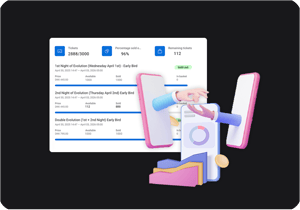
Monitor ticket sales across every event, channel and campaign in a single, live dashboard.
Learn more
Track upcoming payouts and payment schedules, with a receipt for every payout that breaks down your revenue and fees.
Learn moreEvery sale, every event, in one live view
Monitor ticket sales across every event, channel and campaign in a single, live dashboard. Revenue, transaction costs and payout sit side by side for each event.
- Revenue today, over the last 7 days and over the last 30 days
- Total payout and tickets sold, filtered by event state and period
- Export the event list with revenue, costs and payout per event
| Event name | Tickets | Event revenue | Transaction costs | Payout |
|---|---|---|---|---|
| Summer Nights Festival | 742/1,000 | £22,260.00 | £445.20 | £21,814.80 |
| Comedy Club Fridays | 318/400 | £5,724.00 | £114.48 | £5,609.52 |
| Jazz Brunch | 126/150 | £3,918.00 | £78.36 | £3,839.64 |
| Total | 1,186 | £31,902.00 | £638.04 | £31,263.96 |
Reports on demand, or in the inbox on schedule
Generate a report when you need it, or schedule it to arrive by email. The accounting report gives a complete financial overview of the events in a selected period, with revenue by ticket and add-on types, multiple VAT rates and sales channels.
- Time-based ticket sales for any start and end date
- Transactional reports daily, weekly, monthly or per order
- Account daily sales report with web and POS orders, sent to the recipients you choose
Know your balance before the payout lands
Balance and payouts shows how your account balance changes over time: your earnings minus payouts, period by period, across every payment channel. Every payout includes a receipt with a full breakdown of your revenue and fees.
- Switch between a monthly and a daily view of earnings and payouts
- Add a payout reference to each event so your accounting team can reconcile it
- On the Growth plan, prepayment makes your balance available 2 business days after ticket sales are completed
Prepayment: standard transaction fee of 1% + VAT. During the first two weeks, payouts are typically available 5 business days after the order date.
Talk to sales →Share live sales with a simple link
Share your ticket sales with venues, promoters or partners in just a few minutes. Collaborators see live sales data, with no spreadsheets and no delays, and without sensitive details being exposed.
- Give venues and partners a live view of sales
- Provide sales insights to promoters
- Share access with accountants or finance managers to view payouts, reporting, taxes and bookkeeping
Bookkeeping without the backlog
Reports in the format your books expect
The accounting report gives a complete financial overview of the events in a selected period. Revenue is broken down by ticket and add-on types, with support for multiple VAT rates and an overview of revenue from different sales channels. To support standard bookkeeping practices, revenue is shown as negative entries and costs as positive entries.
Payouts you can match to each event
Every payout includes a receipt with a full breakdown of your revenue and fees. Add a custom payout reference to each event, using letters and digits only, so your accounting team can easily identify and reconcile payouts per event.
Recurring revenue with its own payout schedule
Membership revenue is paid out on its own monthly schedule, separate from the usual event payout schedule.
Track membership sales, successful payments and expected upcoming payments, and use the gift card redemption tracker to see what’s selling, what’s trending and what to push next.
The numbers finance asks about
Billetto connects organisers and audiences in 14 countries and accepts the local currency of each.
- Finance managers
- Accountants
- Producers
- Partners
Cash flow and control for finance managers
See what has sold, what is being paid out and what is coming next.
- Live sales dashboard across every event, channel and campaign
- Upcoming payouts and payment schedules
- Prepayment on the Growth plan
- Reports emailed automatically as files
How month-end runs on Billetto
You generate the accounting report for the month, with revenue broken down by ticket and add-on types, VAT rates and sales channels. Then you compare it with the payouts received, each identified by the reference you set for its event.
Accounting-ready exports for bookkeepers
Reports built for bookkeeping and reconciliation.
- Accounting report for any selected period
- Revenue as negative entries, costs as positive entries
- Multiple VAT rates and sales channels
- Copies directly into accounting and financial systems
How reconciliation runs on Billetto
A payout arrives with the reference set for its event. You open the receipt, see the breakdown of revenue and fees, and reconcile it against the accounting report.
Budget decisions on live numbers
Producers and promoters see how each release is selling while there is still time to act on it.
- Live sales dashboard per event, channel and campaign
- Daily report of web and POS orders
- Prepayment on the Growth plan
- Membership and gift card revenue tracked separately
How an on-sale week runs on Billetto
The daily sales report shows how the first release is selling. With prepayment, the balance from those sales becomes available 2 business days later, so you can cover venue, suppliers and artists before the event.
Shared numbers for co-promoters and partners
Give partners the figures they need without exposing the rest.
- Key insights and live sales data, without sensitive details
- Performance data from high-level snapshots to deep dives
- Live sales data with no spreadsheets and no delays
How a co-promoted show runs on Billetto
Your partner follows live sales data without seeing sensitive details. After the show, you share a performance snapshot instead of a spreadsheet.
Fees and payouts, in plain numbers
Fees
- Standard rate: 3.99% + €0.90 per ticket, ex VAT
- Who pays: the ticket buyer, or you can cover the fee yourself and offer an all-in price
- Growth plan: for 1,000+ tickets a year, the buyer pays 3.99% + €0.90 per ticket, or less
- No monthly fee and no setup cost
Payouts
- Receipts: every payout includes a full breakdown of revenue and fees
- References: a custom payout reference per event, for reconciliation
- Prepayment: on the Growth plan, your balance is available 2 business days after ticket sales are completed
- Memberships: paid out on their own monthly schedule, separate from event payouts
Finance questions, answered
Answers for finance managers, accountants and organisers. Question not covered here? Talk to sales.
Your account shows upcoming payouts and payment schedules, and every payout includes a receipt with a full breakdown of your revenue and fees. On the Growth plan, prepayment makes your balance available 2 business days after ticket sales are completed. Talk to us about the payout timing for your account.
The standard fee is 3.99% + €0.90 per ticket, ex VAT, paid by the ticket buyer. If you prefer, you can cover the fee yourself and offer an all-in price. There is no monthly fee or setup cost. On the Growth plan, for 1,000+ tickets a year, the buyer pays 3.99% + €0.90 per ticket, or less. See the pricing page.
On the Growth plan, Billetto Prepayment lets you receive the majority of your ticket revenue upfront. Your balance becomes available 2 business days after ticket sales are completed and is paid out on the schedule you select: daily, weekly or monthly. The standard transaction fee is 1% + VAT. During an initial two-week onboarding period, Adyen applies a temporary settlement delay, and payouts are typically available 5 business days after the order date. When organisers process more than €3 million in total sales within a rolling 29-day period, Adyen may apply a temporary 10% reserve for 160 days.
Billetto connects organisers and audiences in 14 countries and accepts the local currency of each. With one account, you can hold events in another supported country and accept payments in that country’s currency.
Under Finance you will find the accounting report, the accounting report by order date, time-based ticket sales, the account daily sales report, transactional reports and the account overview export.
Yes. Transactional reports can be sent daily, weekly, monthly or per order, and the account daily sales report is sent automatically to the recipients you select.
Enter a custom payout reference for each event, using letters and digits only. It lets your accounting team easily identify and reconcile payouts per event, and each payout includes a receipt with a full breakdown of your revenue and fees.
The accounting report supports multiple VAT rates and breaks revenue down by ticket and add-on types and sales channels. Billetto’s fees are quoted ex VAT.
Yes. Share access with accountants or finance managers so they can view payouts, reporting, taxes and bookkeeping. More on the team page.
Membership revenue is paid out on its own monthly schedule, separate from the usual event payout schedule. Yearly subscriptions are not available for all users, so contact support if you need one.
Billetto has integrations with Adyen, Stripe, Nets, Frisbii, Clearhaus, Quickpay, MobilePay, Vipps, Swish, Klarna, PayPal, Apple Pay and Google Pay. The methods your buyers see depend on the country.
Yes. Reports can be viewed in dashboards, downloaded, emailed automatically as files or integrated with your economic reporting platform, and developers can build on the open API.